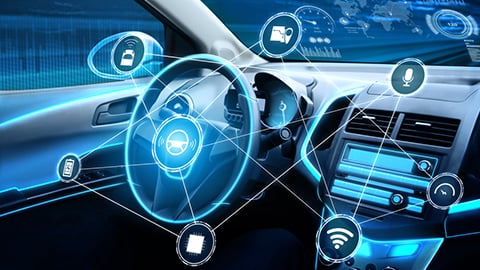
Your Automotive Cybersecurity Health Check: A 10-Point Inspection List
Your modern car is a powerhouse of technology, but just like your computer or smartphone, it needs protection. Cybersecurity isn't just for IT departments anymore—it's a essential part of vehicle ownership.
Let's give your car's digital life a quick health check with this 10-point inspection list! ✅
1. 🔑 Key Fob & Passive Entry Security
Is your key fob a potential weak spot? Thieves can sometimes amplify its signal to unlock and start your car.
-
Store it wisely: Keep your key fob in a signal-blocking pouch (a Faraday bag) at night.
-
Check settings: See if your vehicle's infotainment system allows you to disable passive entry.
-
Don’t leave it by the door: Avoid storing your fob right next to your car or front door.
2. 📡 Software & Firmware Updates
Your car's software is its first line of defense. Outdated systems can have known vulnerabilities.
-
Enable auto-updates: If your car has an over-the-air (OTA) update feature, turn it on.
-
Don't ignore notifications: When your manufacturer sends an update alert, schedule it promptly.
-
Visit your dealer: For critical updates that aren't available OTA, a quick dealer visit might be necessary.
3. 📲 Smartphone App Permissions
The app that controls your car is powerful! It needs to be managed carefully.
-
Review access: Regularly check what permissions the app has (e.g., location, remote start).
-
Use strong authentication: Always enable two-factor authentication (2FA) if it's available.
-
Log out from unused devices: If you sell an old phone or tablet, make sure you're logged out of the vehicle app.
4. 🔌 OBD-II Port Protection
The On-Board Diagnostics (OBD-II) port is a direct gateway to your car's brain, used by mechanics and... hackers.
-
Get a physical lock: A simple, inexpensive OBD-II port lock can deter unauthorized physical access.
-
Be cautious with dongles: Only use trusted insurance or telematics dongles from reputable sources.
5. 📶 Wi-Fi & Bluetooth Hygiene
Your car's constant connections need to be secure to prevent unwanted access.
-
Turn off discoverability: When not in use, set your Bluetooth to "not discoverable."
-
Avoid public Wi-Fi for updates: Don't connect your car to unsecured public Wi-Fi networks for critical software updates. Use your home network or a cellular connection.
-
Forget old networks: Clear out saved Wi-Fi networks you no longer use.
6. 🧑💻 Third-Party Devices & Accessories
Not all plugs and dongles are created equal. Cheap, off-brand gadgets can be a risk.
-
Buy from trusted brands: Opt for accessories from well-known manufacturers or those recommended by your carmaker.
-
Research before you buy: A quick online search for "[product name] + security" can save you future trouble.
7. 🗑️ Data Privacy & Old Vehicle Disposal
Your car stores a lot of personal data. What happens to it when you sell or dispose of the vehicle?
-
Perform a factory reset: Before selling or returning a leased car, find the "Factory Reset" or "Master Reset" option in your settings. This will wipe your personal data, including contacts, navigation history, and linked accounts.
-
Consult the manual: Your owner's manual will have specific instructions for a proper data wipe.
8. 🎣 Phishing & Social Engineering Awareness
Hackers often target the driver, not the car. Be wary of suspicious messages.
-
Verify sender identity: Never click links or download attachments from emails or texts claiming to be from your car manufacturer unless you are 100% sure they are legitimate.
-
Look for red flags: Poor grammar, urgent language, and strange sender addresses are common signs of a phishing attempt.
9. 🚗 Used Vehicle Pre-Purchase Check
Buying a used car? Its digital history is as important as its mechanical one.
-
Reset everything: The first thing you should do is a complete factory reset to remove the previous owner's data and settings.
-
Update immediately: Check for and install all available software updates from the manufacturer.
10. 📚 Stay Informed & Vigilant
The world of automotive cybersecurity is always evolving. Staying informed is your best defense.
-
Follow your manufacturer: Sign up for security bulletins and newsletters from your car's brand.
-
Read the news: A quick awareness of major automotive cybersecurity news can help you understand new threats.
Conclusion
Staying proactive with these simple steps can significantly boost your car's digital defenses. A little vigilance goes a long way in ensuring your journeys remain safe and secure—both on the road and in the cloud! 🛡️✨
You May Like
The Driver's Guide: Cultivating Habits for a Cyber-Secure Journey
Just like driving a car, navigating the digital world requires awareness, good habits, and a focus on safety. We use seatbelts and check our mirrors not because we expect a crash every time, but to be prepared. The same proactive mindset is your best defense online!
The Evolving Shield: Next-Generation Technologies Reshaping Automotive Cybersecurity
Today's vehicles are sophisticated "computers on wheels," connected to everything—from our smartphones to the cloud. But with great connectivity comes great responsibility... for security! The old ways of protecting cars are no longer enough.
Shifting Gears: Emerging Trends and the Future of Automotive Cybersecurity
Today's vehicles are essentially "smartphones on wheels," packed with sophisticated software and constant connectivity. While this brings incredible features, it also opens up a new world of vulnerabilities.
Car Culture in the Digital Age: How Cybersecurity is Reshaping Ownership
For decades, car culture was defined by horsepower, sleek designs, and the open road. Today, a new, invisible force is shifting gears under the hood: cybersecurity.